How to Extend Tecno Phone Battery Life
Every smartphone user knows the struggle — you charge your Tecno phone to 100% in the morning, and before the day ends, you’re already searching for a charger. Fast battery drain can ruin your productivity and limit how you use your phone. The good news? You don’t need to live near a charging socket or carry a power bank everywhere.
In this comprehensive guide, I’ll show you proven and practical ways to extend Tecno phone battery life without sacrificing performance or usability. Whether you use the Tecno Spark, Camon, or Pova series, these tips work across all models running HiOS or Android 13/14.
Before we start, it’s important to understand what’s considered normal battery drain and what isn’t — because not every drop in percentage means something’s wrong.
Battery Drain: What’s Normal (How to Extend Tecno Phone Battery Life)

Not all battery drains are bad. Even brand-new phones lose 4–8% per hour during active use, especially if your screen brightness is high, apps are syncing in the background, or your network signal is weak. However, losing 20% or more within an hour of normal use may indicate a problem.
According to Android Help, adjusting brightness, connectivity, and app activity can significantly extend Tecno phone battery life. Many users see improvements of 2–3 extra hours of screen time simply by changing a few settings.
Quick Wins to Extend Tecno Phone Battery Life
Before diving into deep settings, start with these quick actions. They can instantly reduce battery drain by 20–30% in less than 15 minutes.
- Activate Battery Saver Mode (Settings → Battery). It limits background tasks and animations without affecting essential functions.
- Lower your screen brightness and enable auto-brightness to let your phone adjust lighting automatically.
- Set the screen timeout to 30 seconds to prevent unnecessary display usage.
- Turn off Bluetooth, Wi-Fi, Hotspot, and Location when not needed.
- Use Wi-Fi instead of mobile data whenever possible — it consumes less power.
- Uninstall or disable apps you rarely use. Apps like Facebook, Snapchat, and TikTok can run background processes that drain your battery even when idle.
These simple optimizations already help most users extend Tecno phone battery life by several hours daily without impacting performance.
Best Charging Habits to Extend Tecno Phone Battery Life
Most people think keeping their phones at 100% charge is healthy. In reality, lithium-ion batteries last longest when they stay between 20% and 85%. Every full charge cycle slightly reduces the total capacity of your battery. To extend your Tecno’s lifespan:
- Charge your phone in shorter bursts instead of overnight whenever possible.
- Avoid letting the battery hit 0% — deep discharges stress lithium-ion cells.
- Keep the phone out of direct sunlight and never charge under your pillow or blanket.
- Use only original Tecno or certified chargers. Cheap adapters can damage internal circuits.
- After charging, unplug it once it reaches 90–95% instead of waiting for 100%.
Research from Battery University confirms that avoiding heat and full charges can double a battery’s usable life.
Screen & Display Tweaks to Extend Tecno Phone Battery Life
The display is often your biggest battery hog. It can consume up to 50% of total power. Small tweaks go a long way:
- Reduce brightness to 40–60% indoors; use auto-brightness when outside.
- Switch to dark mode — it’s not just aesthetic; it uses less energy on OLED screens.
- Lower screen refresh rate (90Hz → 60Hz) if supported; it noticeably cuts drain.
- Keep wallpapers static. Live wallpapers look cool but constantly use CPU/GPU cycles.
- Enable “Sleep when device is idle” in Developer Options to minimize standby drain.
Network, 4G/5G, Wi-Fi & Radios
Your Tecno modem constantly searches for the best signal, which drains power quickly in weak coverage areas. To reduce this:
- Stick to 4G if 5G coverage in your area is inconsistent. 5G modems use more power when switching between bands.
- Enable Wi-Fi Calling in settings to save power during calls in low-signal buildings.
- Turn off Hotspot after use. Sharing data continuously heats and drains your battery.
- Disable Bluetooth, NFC, and GPS unless necessary.
- Use Airplane Mode when traveling underground or in zero-signal zones (like basements or elevators).
App Control to Extend Tecno Phone Battery Life
Many users underestimate how much background apps consume. Social media, email clients, and cleaners silently run services that wake your CPU repeatedly. To regain control:
- Go to Settings → Battery → App usage details. Identify apps using more than 10% daily.
- Tap each app → “Battery optimization” → select Restrict background usage.
- Disable auto-start for heavy apps like TikTok, Instagram, and Facebook.
- Delete “battery saver” apps that actually drain power by running constantly.
- Limit auto-sync intervals in Gmail or cloud photo backups to once per day instead of hourly.
Doing this can easily extend Tecno phone battery life by 15–20% each day without affecting your essential notifications.
Gaming Without Killing Your Battery
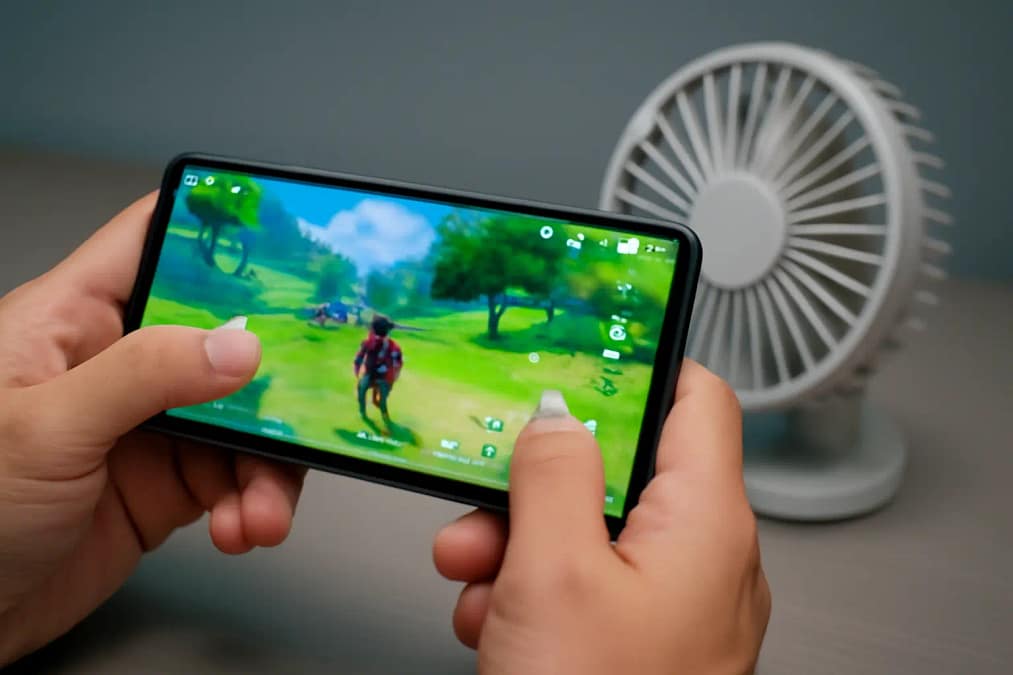
Mobile gaming can drain your Tecno battery faster than any other activity. Here’s how to balance gameplay with longevity:
- Lower in-game graphics and disable extra effects like shadows and motion blur.
- Turn off vibration and haptic feedback while gaming — they draw extra current.
- Don’t charge while playing. This increases temperature and degrades cells faster.
- Keep a small desk fan near your setup to maintain cooler temps.
- Enable Game Mode or Performance Profiles in HiOS to optimize resources.
If you follow these practices, you’ll notice cooler temperatures and slower battery drop even during intense gaming sessions.
Battery Saver & Adaptive Battery
Modern Tecno phones running Android 13/14 come with built-in optimization features. Two must-use options are Battery Saver and Adaptive Battery.
- Battery Saver: Activating this reduces CPU performance slightly and pauses non-essential background syncs, giving you up to 2–4 extra hours of use.
- Adaptive Battery: It uses AI to learn your usage patterns and limits apps you rarely open. Enable it in Settings → Battery → Adaptive preferences.
Together, these settings can easily help you extend Tecno phone battery life throughout the day.
Updates, Firmware & After-Update Drain
Many users report faster drain after system updates. Don’t panic — it’s usually temporary. After an update, Android re-indexes data and optimizes apps. If the issue persists beyond 24 hours:
- Restart your phone after every major update.
- Update all apps in the Play Store (outdated apps may not adapt to new battery rules).
- Clear cache partitions via recovery or Settings → Storage → Cached data.
- If all else fails, perform a factory reset after backing up your data.
Learn more about official recommendations on Android Help.
Battery Health & When to Replace
All lithium-ion batteries degrade over time. After 500–800 charge cycles (about 18–24 months), capacity can drop by 15–25%. Signs you might need replacement include:
- Sudden shutdowns even with 15–20% battery remaining.
- Visible swelling or a loose back cover — stop using immediately!
- Battery temperature rising when idle or during calls.
If you notice these symptoms, visit an authorized Tecno service center. Avoid cheap local replacements — poor-quality cells can overheat or damage your motherboard.
Battery Myths vs Facts
- Myth: Closing apps constantly saves battery. Fact: Android’s memory management handles this automatically. Focus instead on background restrictions.
- Myth: Overnight charging ruins batteries. Fact: It’s safe if you use original chargers and a cool environment, though 100% charge every night isn’t ideal.
- Myth: Fast charging damages the phone. Fact: It’s safe within Tecno’s certified voltage. Avoid using non-branded fast chargers.
- Myth: You must drain to 0% before recharging. Fact: Shallow cycles (20–85%) are better for longevity.
Troubleshooting Checklist
- Reboot and check for app/system updates.
- Inspect “App usage details” to find hidden drainers.
- Enable Battery Saver and Adaptive Battery.
- Reduce brightness and refresh rate.
- Prefer Wi-Fi; disable unused radios (GPS, Bluetooth, NFC).
- Charge smartly — avoid heat and deep cycles.
- If drain persists after reset, consult Tecno support.
Wrapping Up: Simple Ways to Extend Tecno Phone Battery Life
Extending Tecno battery life isn’t about avoiding your favorite apps — it’s about using your phone smarter. Keep your screen moderate, charge properly, manage apps, and stay away from excess heat. With these habits, you’ll easily extend Tecno phone battery life for the long run and enjoy consistent performance every single day.
For more official advice, visit Google’s Android battery optimization page for reference.
Frequently Asked Questions
What are the quickest ways to extend Tecno phone battery life today?
Turn on Battery Saver, lower screen brightness, shorten screen timeout, switch to Wi-Fi where possible, and restrict background activity for heavy apps like TikTok and Facebook. These five steps can immediately extend Tecno phone battery life without affecting daily use.
Is it better to charge my Tecno phone to 100% or keep it between 20–85%?
For longevity, lithium-ion prefers partial charges. Keeping your charge between 20% and 85–90% helps extend Tecno phone battery life over months of use. Full 0→100% cycles are okay occasionally for calibration but shouldn’t be daily.
Which settings in Android help extend Tecno phone battery life the most?
Battery Saver, Adaptive Battery, auto-brightness, lower refresh rate, and disabling auto-start for non-essential apps. Also, limit auto-sync and turn off radios (GPS, NFC, Bluetooth) when not needed.
Does fast charging reduce battery lifespan?
Certified fast charging is safe, but heat is the enemy. To extend Tecno phone battery life, avoid gaming or streaming while charging and keep the phone cool and uncovered.
Why does my battery drain overnight, and how do I fix it?
Usually background sync, poor signal, or a misbehaving app. Check Battery → App usage details, restrict offenders, enable Adaptive Battery, and consider Airplane mode in weak-signal areas to extend Tecno phone battery life during standby.
When should I replace my Tecno phone battery?
Replace if you see swelling, random shutdowns at 15–20%, or heavy drain at idle after a factory reset. A healthy replacement will immediately extend Tecno phone battery life and restore stable screen-on time.
Do dark mode and lower refresh rate really help?
Yes. Dark mode reduces screen power on many panels, and dropping from 90Hz to 60Hz can save several percentage points per hour, helping extend Tecno phone battery life without noticeable slowdowns for most users.
Is it safe to leave my Tecno charging overnight?
With original or certified chargers in a cool, ventilated place, it’s generally safe. For maximum longevity, try not to keep it at 100% for long periods and avoid heat exposure while charging.